Decision Craft Wiki
Account & Profile
Manage your profile, preferences, and account settings.
Where To Manage Your Account
Go to /profile to manage your account settings.
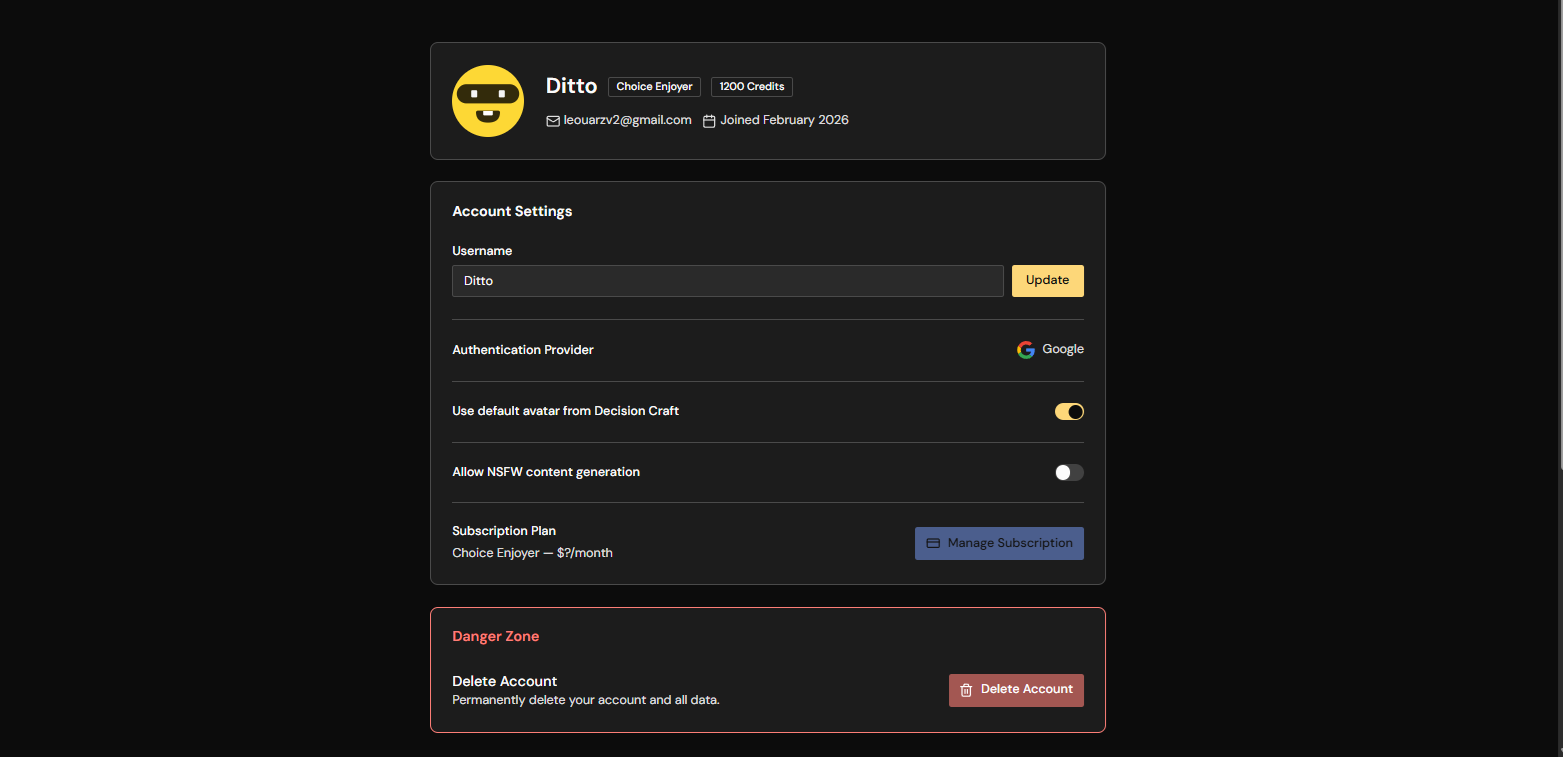
Profile Overview
Your profile shows:
- Username
- Role badge (Choice Enjoyer, Decision Maker, Tavern VIP, or Dungeon Master)
- Credit balance
- Email and join date
Username
You can change your username from the profile page.
Avatar Preferences
You can choose to:
- Use your provider avatar (Google/Discord/etc.)
- Use the default Decision Craft avatar
New Game Defaults
Choose your default text model, image style, and round image frequency in your profile. New games use these defaults. The host can change the settings for a game in Room Info.
Subscription
The profile page shows your plan and subscription status. Open the Credits Center to subscribe or manage billing.
Delete Account
You can delete your account from the Danger Zone section.
Important notes:
- This is permanent.
- Remaining credits are removed.
- Games and history are lost.